Made for people who build with AI
You keep building things. Shelf keeps them alive.
Apps and tools made with AI don’t come with a place to live. Shelf is that place. They launch in a click, and your AI tools can reach them.
macOS · Apple Silicon · free & open source · no account
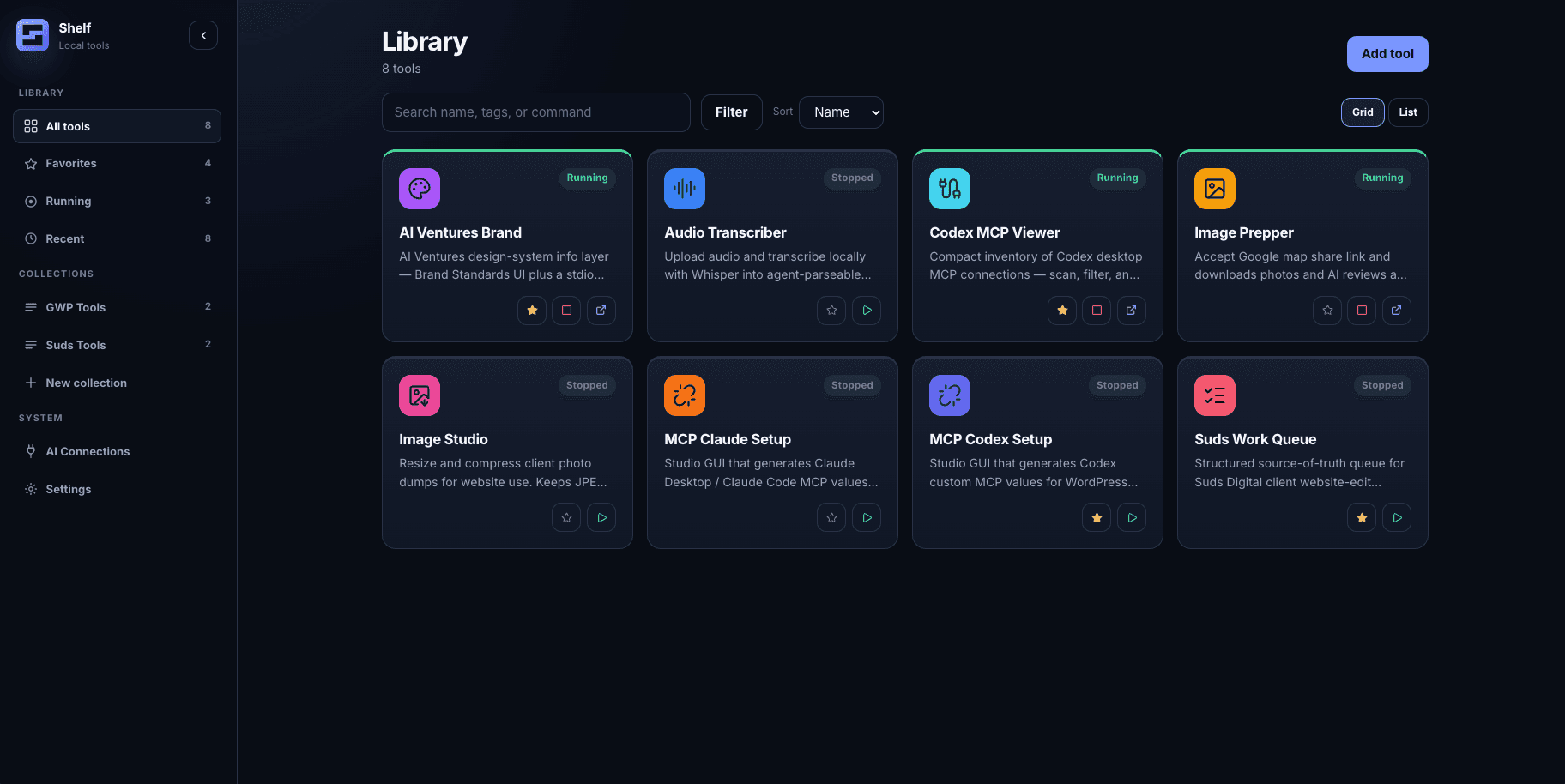
Hover a tool. One click and it’s running. Today, next week, two clients from now.
How it works
You built it with AI. Now it just runs.
Drop a folder on Shelf. It suggests the command. You accept it. Then it runs.
A site, a script, or a Docker stack.
Shelf suggests how it runs. Nothing installs until you accept.
Launch it again next month. Your agents can find it too.
The app
This is Shelf.
The library, the checks, and a handoff you review before it reaches an agent.
MCP Connections
One library, every agent. One-click config, and your other servers stay untouched.
 Claude DesktopConnected
 Claude CodeConnected
 CursorConnected
 OpenAI CodexConnected
Shelf/library.json
list · register · launch · stop · logs · discover. The same verbs your desktop app uses.
Every tool on one calm home screen. Status and launch at a glance.
Launch without the ritual
Every tool tells the truth twice.
Running is not the same as ready for an agent.
- Image PrepperRunning:4173 · Ready on http://127.0.0.1:4173Agent-ready
- Local WordPress ManagerReady:8080 · docker compose upNeeds setup
- Document ConverterStoppedone-shot · .venv/bin/python convert.pyManual only
Connected, not configured
Your agent asks. Your shelf answers.
Claude, Cursor, and Codex see the same library. They can launch what you already saved.
 Claude CodeClaude DesktopCursorCodex
Your brand, on the shelf
Stop pasting your hex codes.
One local file holds the colors, type, and voice. An agent can read it. You keep the default.
Same page every time. Only the profile changes.
Two ways to look at it
Simple by default. Developer when you want it.
Simple hides the wires. Developer shows them. Same files.
Switch anytime. It only changes what’s shown.
Stacks
Ask for the stack. It’s on your shelf.
Ask for a stack. It lands marked From agent. Start it together, or in order so each port is up first.
“group these into a shelf” → shelf_upsert_collection
Agents draft. You decide.
It arrives marked From agent. One edit makes it yours.
Start in order
Each port answers before the next command. A missing key stops the rest.
Or start together
Launch every member at once. Tools already running stay up.
Delete the list, keep the tools
The collection is a name. The tools stay in the library.
Give your builds a place to live.
macOS · MIT · local-first · your data stays on your Mac · no account, ever